
Métricas de escritura
40 WPM es el punto de partida. El trabajo cómodo empieza cuando mantienes 50-60 WPM con precisión.
Las guías públicas de Typing.com sitúan la media en torno a 40 WPM, con 40-60 WPM como rango típico para quienes escriben con los diez dedos. Esos números son útiles — pero en el trabajo lo que importa también es qué pasa después de alcanzarlos.
Revisado el 9 de agosto de 2026
Qué mide el WPM
WPM significa palabras por minuto. Es una métrica de velocidad útil, pero no describe del todo la escritura en el trabajo.
La mayoría de los tests tratan cinco caracteres, incluyendo espacios y puntuación, como una palabra. En la práctica, el WPM suele calcularse como el total de caracteres escritos en un minuto dividido entre cinco.
Muchos tests de WPM se centran en flujos de palabras limpias, mientras que el trabajo real incluye puntuación, saltos de línea, formato de mensajes y decisiones de envío.
- Cinco caracteres suelen contar como una palabra
- Velocidad y precisión deben seguirse por separado
- Un resultado solo es comparable si el texto y el formato también lo son
Los rangos de referencia que importan
Las guías públicas de mecanografía suelen citar alrededor de 40 WPM como base media. También describen unos 27 WPM para escritura con dos dedos y unos 40-60 WPM para mecanógrafos táctiles típicos.
Typing.com también enmarca al menos 40 WPM como base práctica en el lugar de trabajo, con algunos roles más exigentes que requieren 60 WPM o más.
- 20-30 WPM: construyendo la base, buscando teclas con frecuencia
- 30-40 WPM: uso básico diario, pero los errores aún frenan el resultado
- 40-50 WPM: base habitual para productividad de oficina
- 50-60 WPM: cómodo para correo, chat y edición de documentos
- 60+ WPM: rápido, siempre que la precisión se mantenga alta
CPM: la cifra que no cambia con el idioma
CPM significa caracteres por minuto. Donde WPM agrupa caracteres en palabras de cinco letras, CPM cuenta cada carácter directamente — una lectura más directa del rendimiento real.
Esto importa porque la convención de cinco caracteres asume palabras de longitud inglesa. Las palabras en español son más largas en promedio, así que la misma velocidad de manos da un WPM menor solo por la longitud de las palabras. Las tildes y la ñ añaden pulsaciones que tampoco aparecen en un test en inglés. Lo único que comparten todos los idiomas es la secuencia de teclas que pulsas.
Por eso conviene usar el WPM para compararte con otros sitios y el CPM para seguir tu propio progreso. KeyboardGym muestra ambos al terminar cada medición.
- En inglés, CPM ÷ 5 ≈ WPM; con palabras más largas la diferencia crece
- 200-300 CPM: uso cotidiano con alguna duda
- 300-400 CPM: cómodo para chat y correo en el trabajo
- 400-500 CPM: notablemente rápido para la mayoría de compañeros
- 500+ CPM: mecanografía táctil bien establecida
El tiempo se pierde en las pausas, no en las teclas
Un test limpio de un minuto elimina gran parte de la fricción que el trabajo real añade de vuelta: puntuación, números, saltos de línea, formato y la decisión de enviar. Por eso el resultado siempre parece más rápido que tu jornada.
Pero lo que más tiempo consume no es ninguna de esas operaciones, sino el hueco antes de la siguiente pulsación. Una duda de 0,3 a 0,5 segundos ante una tecla incómoda, diez veces por minuto, cuesta de tres a cinco segundos por sí sola. Quien se estanca en una velocidad casi nunca tiene los dedos lentos: se detiene siempre en los mismos sitios.
El problema es que los ejercicios de palabras sueltas esconden esas pausas — una palabra es lo bastante corta como para terminarla aunque te frenes. Los huecos solo se convierten en un número cuando escribes texto desconocido sin parar. Por eso medir significa texto continuo, no listas de palabras.
- Velocidad: cuánto tiempo puedes mantener el ritmo
- Precisión: cuánto tienes que reparar
- Calidad de envío: con qué frecuencia evitas los envíos accidentales
- Resistencia: si la misma calidad aguanta varios minutos seguidos
Medir sobre texto continuo: la prueba de 1 minuto
La prueba de 1 minuto convierte esas pausas en una cifra. El texto se desplaza mientras escribes, y al acabar el tiempo aparecen PPM, CPM, precisión y número de errores. La prueba de 5 minutos usa el mismo formato y muestra si ese ritmo aguanta: si la segunda mitad cae más de un 10 %, la causa es la tensión o la postura, no la velocidad de los dedos.
Cada resultado de texto largo entra en la clasificación mensual, así que ves tu puesto entre personas que están escribiendo ahora mismo, en lugar de compararte con una media genérica. No hace falta registrarse.
- Prueba de 1 minuto: tu techo actual, medido rápido
- Prueba de 5 minutos: si ese techo aguanta hasta el final
- Métricas mostradas: PPM / CPM / precisión / errores
- Clasificación: tu puesto aparece justo al terminar, sin registro
Después entrena los huecos, no el texto entero
Una medición te dice dónde te detuviste. Repetir el texto completo sirve sobre todo para ensayar lo que ya escribes bien, así que aísla las letras, los símbolos y los estiramientos que provocaron las pausas y trabájalos por separado.
Alternar medición y ejercicio rinde más que escribir sin rumbo: mides, corriges los dos o tres puntos donde te frenaste, y vuelves a medir. Termina con práctica tipo chat, con saltos de línea y decisiones de envío, para que la mejora sobreviva a los mensajes reales.
- Trabaja justo las teclas y combinaciones que te frenaron
- Vuelve a medir tras cada ronda, no al final de la semana
- Usa la prueba de 5 minutos para confirmar que la mejora aguanta
- Cierra con práctica tipo chat para revisar la calidad de envío
Prueba una práctica
Empieza por medir dónde estás. Un minuto muestra tu techo y cinco minutos muestran si se sostiene. Ambas son gratuitas y cuentan para la clasificación.
Prueba de 1 minuto
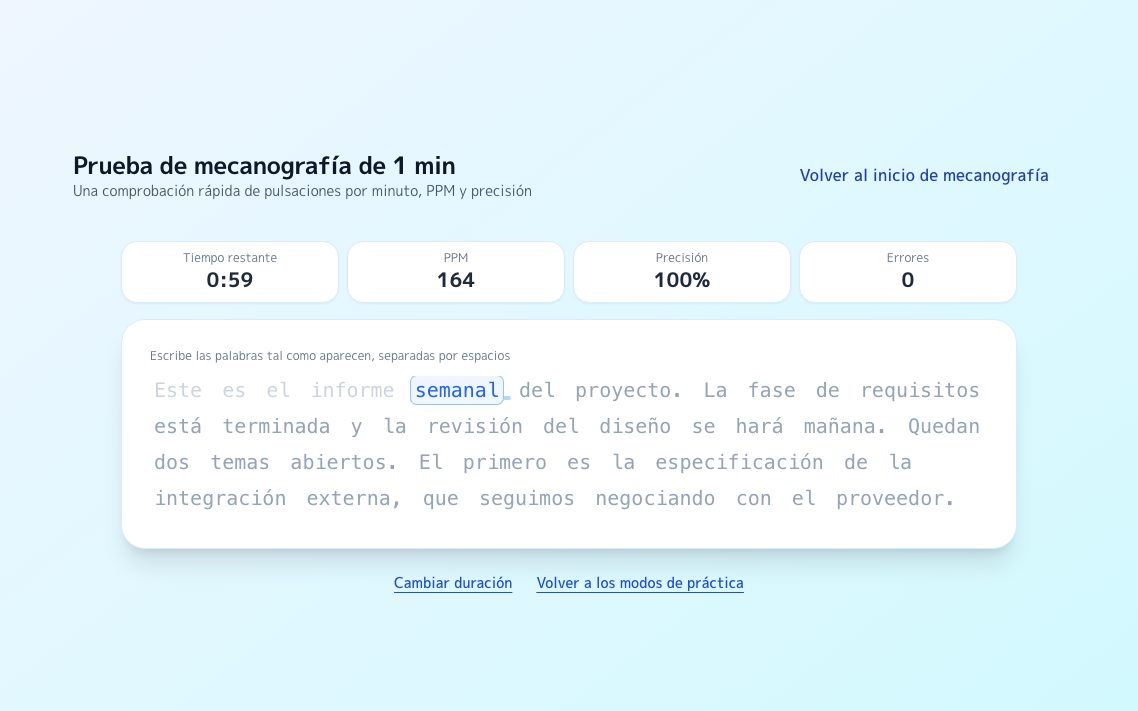
Un texto continuo se desplaza mientras escribes y muestra tu techo actual al instante.
Probar →
ResistenciaPrueba de 5 minutos
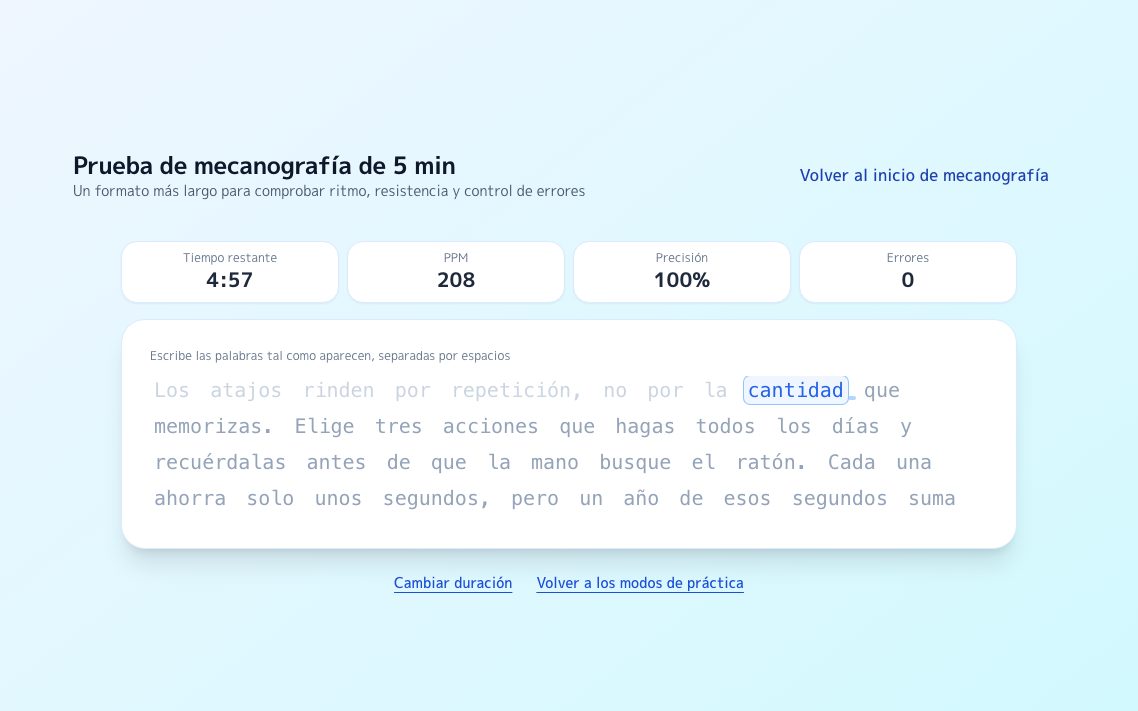
El mismo formato durante cinco minutos. La caída entre mitades delata tensión y postura.
Probar →
ClasificaciónClasificación de texto largo
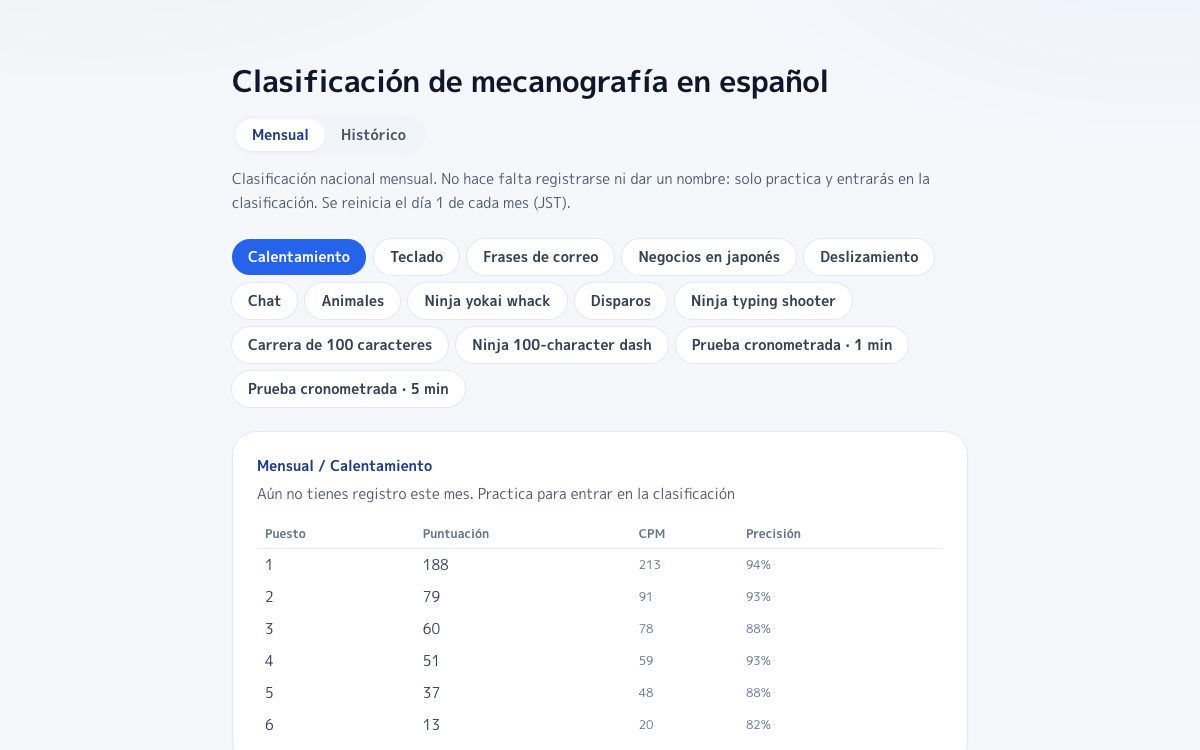
Tu resultado entra directamente en la clasificación, sin necesidad de registro.
Probar →
Preguntas frecuentes
¿Cuál debería ser mi primer objetivo de WPM?
Un 40 WPM estable con alta precisión es un primer hito realista. A partir de ahí, mantener 50-60 WPM con pocas correcciones suele sentirse mucho mejor en el trabajo diario.
¿Un WPM alto significa que escribo rápido en el trabajo?
No siempre. La escritura de trabajo incluye formato, puntuación, saltos de línea y decisiones de envío que muchos tests de WPM no contemplan.
¿Qué debería mejorar primero para escribir mejor en el trabajo?
Reduce el tiempo de corrección y los envíos accidentales primero. Una calidad estable hace que las ganancias de velocidad sean más útiles.
¿Puedo ver cómo se compara mi WPM con el de otras personas?
Sí. Los resultados de la prueba de texto largo entran en una clasificación mensual y tu puesto aparece justo al terminar la medición, sin necesidad de registro. Las pruebas de 1 y 5 minutos se clasifican por separado, así que te comparas en igualdad de condiciones.
Fuentes
Prueba de 1 minuto
Medición sobre texto continuo que se desplaza mientras escribes, con PPM y precisión.
Prueba de 5 minutos
El formato largo que muestra si mantienes el ritmo, no solo tu pico.
Clasificación mensual de texto largo
Donde entra cada medición. Sin registro para ver tu puesto.
Juego de disparos
Derriba palabras de trabajo que caen. Buen calentamiento antes de medir.
Typing.com Blog: What is Words per Minute (WPM)?
Explica la convención de WPM con grupos de cinco caracteres.
Typing.com Blog: What's a good typing speed, and why does it matter?
Base para el punto de referencia de 40 WPM en el entorno laboral y el contexto de 60 WPM en roles de asistente.
Typing.com Blog: Hunt and Peck Vs Touch Typing (10 fingers)
Comparativa entre 27 WPM con dos dedos y 40-60 WPM con mecanografía táctil.
Typing.com Support: WPM / Averages Grade Level
Refuerza la prioridad de la precisión sobre la velocidad durante el aprendizaje.